
Headline versions
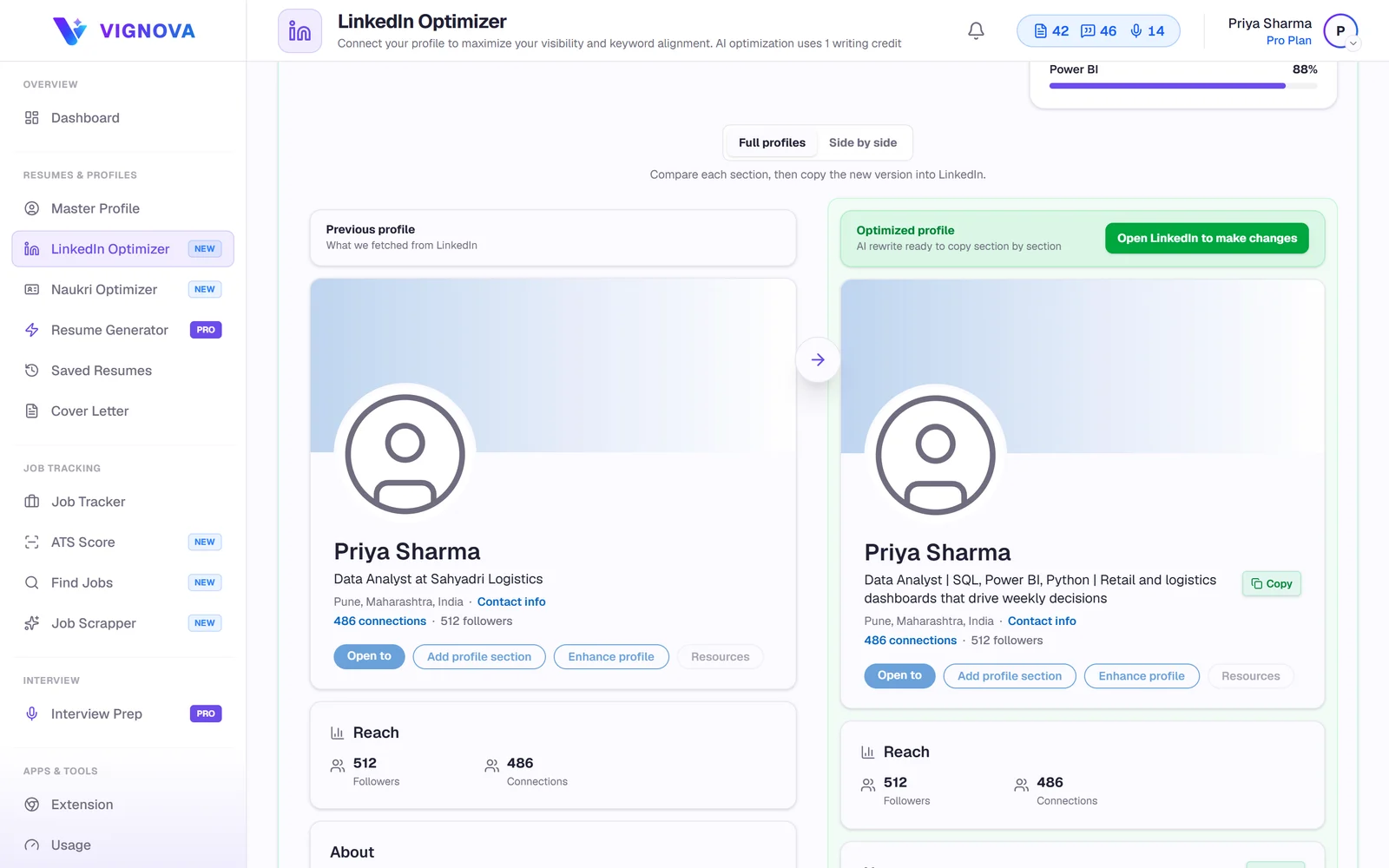
A rewritten headline that states your role, your strongest skills and the kind of work you do, built from your profile.
Paste your public LinkedIn URL. Vignova reads your headline, About section, experience and skills, scores the profile against the experience in your Master Profile, and writes improved versions you can compare with your current profile and copy back to LinkedIn.
Recruiters search LinkedIn by role, skills and location, and check the profile of anyone who applies. A headline that only says "Software Engineer at a services company", an empty About section or a skills list that stopped in 2019 gives them little to go on.
Vignova does not control how LinkedIn ranks profiles, and it will not pretend to. It helps your profile say clearly what you do, in the terms people use to look for someone like you, and keeps it consistent with your resume.
The profile score is a weighted average. Your Master Profile is the reference: the optimizer checks how much of your real experience your LinkedIn profile actually shows.
| Area | Weight | What it looks at |
|---|---|---|
| Keywords | 25% | Skills and terms from your Master Profile that appear on your LinkedIn profile. |
| Semantics | 20% | How closely the meaning of your LinkedIn profile matches the experience in your Master Profile. |
| Impact | 20% | Experience descriptions that lead with actions and show results. |
| Completeness | 15% | Whether your headline, About section, experience, education and skills are filled in. |
| Readability | 10% | How easy your About section is to read. |
| Headline | 10% | Whether the headline is long enough to describe you, stays within LinkedIn's 220-character limit and separates several keywords. |
Projects on your profile add a small bonus of up to five points. Without a Master Profile, keywords and semantics are scored on how consistently your headline, About section, experience and skills use the same terms.
A rewritten headline that states your role, your strongest skills and the kind of work you do, built from your profile.
An About section that opens with who you are and what you do best, and works in the keywords from your real experience.
Experience descriptions rewritten to lead with actions and highlight results already recorded in your Master Profile.
Skills and keywords from your Master Profile that your LinkedIn profile does not show yet.
See the full current and optimized profiles, or compare them side by side, section by section.
Copy any section with one click and paste it into LinkedIn. Change as much as you like first.
Importing and scoring are free with an account. AI rewrites need a plan that includes LinkedIn optimization and use one writing credit.
The rewrite uses only skills and work already recorded in the developer's Master Profile.
Software Engineer | Looking for new opportunities
Backend Engineer | Java, Spring Boot, Microservices | Building payment APIs for fintech products
Illustrative example, not a real user's profile. For more patterns, see LinkedIn headline examples for job seekers.
It is the reference for scoring and the only source of facts for rewrites. Import your resume to start quickly.
Vignova reads your headline, About section, experience, skills and education. The profile must be publicly visible.
See the overall score, the six area scores and the keywords from your experience that are missing on LinkedIn.
Get an optimized headline, About section and experience descriptions.
Review the full profile or side by side, edit anything, and copy the sections you want into LinkedIn.
Role first, then two to four skills or specialisms, then the kind of work or domain. "Aspiring" and "open to work" add little; LinkedIn has a separate setting to show you are open to work.
Only the first few lines show before "see more". Open with what you do and your strongest evidence, write in the first person, and end with the kind of role or project you want.
For each role, a line on scope and three to five lines on what you did and achieved. Keep the facts identical to your resume.
List the skills you want to be found for, including the tools named in postings you apply to, and remove ones you no longer use.
Your resume, LinkedIn and Naukri profile should tell the same story. Build resumes with the AI resume builder and improve your Naukri profile with the Naukri profile optimizer, all from the same Master Profile.
LinkedIn is a trademark of LinkedIn Corporation. Vignova is an independent career tool and is not affiliated with, endorsed by or sponsored by LinkedIn.
Importing and scoring your profile is included with a free Vignova account. AI rewrites are included on the Pro and Premium plans and use one writing credit each time.
No. Vignova reads the public version of your profile from its URL. It never asks for your LinkedIn login.
No. Vignova does not post or edit anything on LinkedIn. You compare the suggestions with your current profile and copy the sections you want into LinkedIn yourself.
No one outside LinkedIn can promise that, and Vignova does not. What the optimizer can do is make your profile clearer, more complete and more consistent in the terms that describe your real experience, which is what people search for.
The import reads your public profile, so turn on public profile visibility in LinkedIn's settings, at least while you import. You can change it back afterwards.
LinkedIn currently allows up to 220 characters. Only the start is visible in search results and comments, so put the role and most important skills first. See LinkedIn headline examples.
Yes. With little experience to show, the headline, About section, projects and skills matter even more. Add your projects, internships and certifications to your Master Profile first, so the rewrites can draw on them.
The facts should match: employers, titles and dates. LinkedIn can say more than a one-page resume, but a profile that contradicts your resume raises questions. Vignova writes both from the same Master Profile.
Paste your public profile URL, read the scores for free, and decide which rewrites to use.