
Save the job
The extension reads the title, company, location and description from LinkedIn, Indeed and many company career pages. Check the details, then save the job to your tracker. For anything it cannot read, paste the description.
Job postings and application forms are spread across hundreds of sites. The Vignova extension works on top of them: save a posting to your tracker, see how its skills compare with your Master Profile and copy your details into forms. On paid plans, you can also tailor your resume or fill the application without switching tabs.
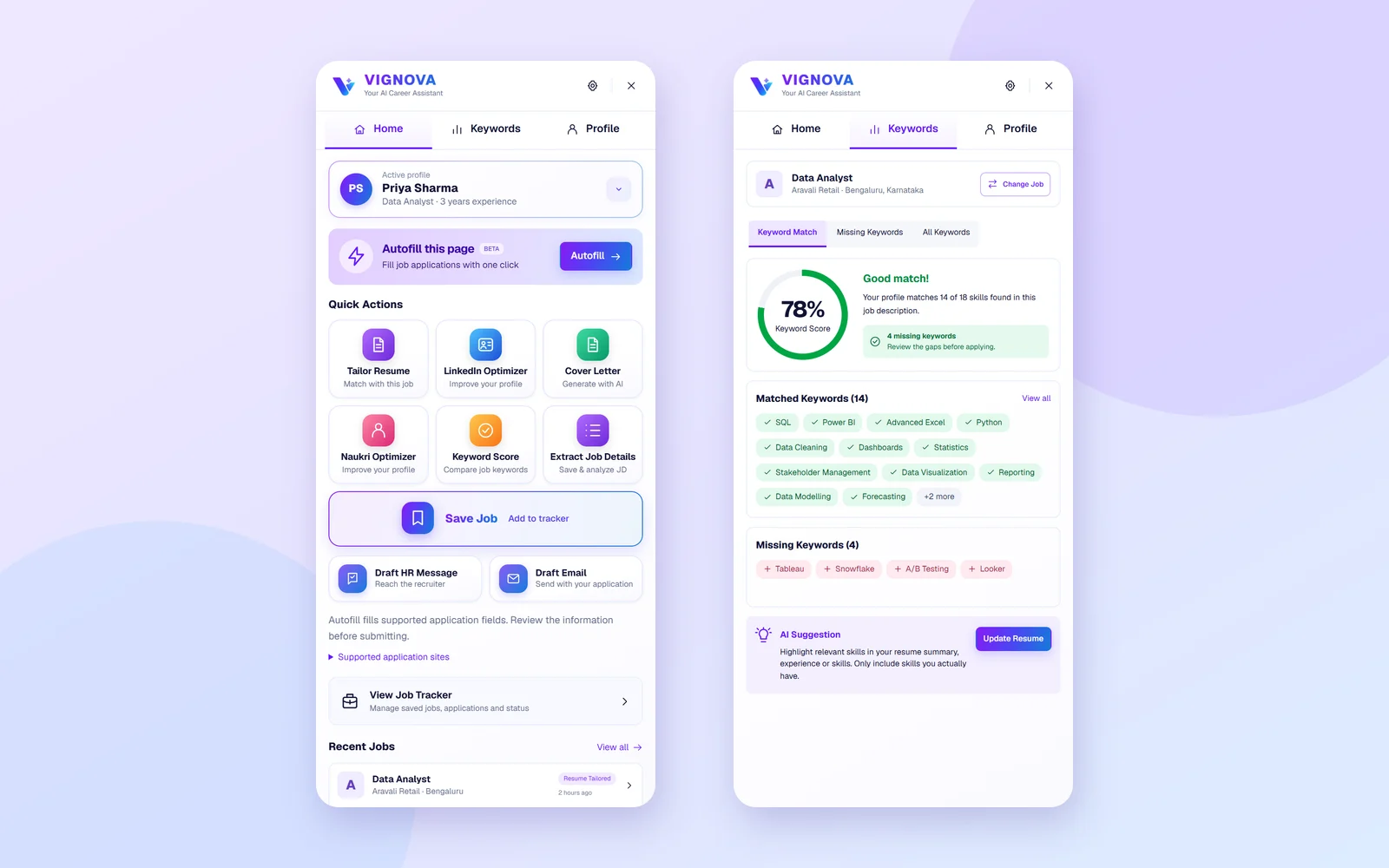
The extension reads the title, company, location and description from LinkedIn, Indeed and many company career pages. Check the details, then save the job to your tracker. For anything it cannot read, paste the description.
Compare a posting's skills with your active Master Profile: matched keywords, missing keywords and an overall score. On LinkedIn and Indeed job pages, a match panel shows the score beside the posting.
If the posting names a skill you have but your profile does not list, add it to your Master Profile from the match panel with one click.
On Pro and Premium, generate a tailored resume, a cover letter, an application email or a message to HR for the posting. Each one is saved with the job, ready to copy or download as a PDF.
The Profile tab keeps your personal details, work experience, education and skills one click from the clipboard, for forms that need typing.
On Pro and Premium, fill standard application forms from your profile. Autofill is in beta and never clicks Next or Submit.
| Feature | Free plan | Pro and Premium |
|---|---|---|
| Save jobs and open your job tracker | Included | Included |
| Keyword score and the LinkedIn and Indeed match panel | Included | Included |
| Copy profile details for application forms | Included | Included |
| Scan your Naukri profile from the dashboard | Included | Included |
| Tailored resumes, cover letters, application emails and HR messages | Not included | Included, uses credits |
| Application autofill (beta) | Not included | Included |
| Switch between several Master Profiles | Not included | Included |
Compare the plans on the pricing section.
Job postings and application forms live on thousands of different sites, so the extension's scripts load on the pages you visit. They act when you use a tool, with two exceptions: the match panel on LinkedIn and Indeed job pages, and the document picker on file upload fields.
Read the privacy policy for how Vignova handles your data.
You stay in control of every application. The extension saves, scores, writes and fills. Deciding what to send, and sending it, is always up to you.
Google Chrome and the Chrome Web Store are trademarks of Google LLC. LinkedIn, Indeed and Naukri.com are trademarks of their respective owners. Vignova is an independent career tool and is not affiliated with or endorsed by any of them.
Yes, it is free to install. With a free Vignova account you can save jobs, see keyword scores and copy your profile details. Tailored resumes, cover letters, emails and HR messages need a Pro or Premium plan and use credits, and autofill is available on Pro and Premium.
The extension is published on the Chrome Web Store for Google Chrome, version 116 or later.
No. Autofill can fill in an application form, but it never clicks Next, Submit or Apply. You review every answer and submit the application yourself.
It reads a job page when you save or analyse it, and scores postings you open on LinkedIn and Indeed job pages. It fills a form only when you start autofill. When you click a file upload field, it offers the documents in your Vignova account. It never asks for your passwords on job sites.
Yes, in two ways. The Naukri profile optimizer uses the extension to read your own Naukri profile when you start a scan from the dashboard. For a Naukri job posting, save it from the posting, or paste its description if the details are not picked up.
Yes. Sign in with your Vignova account so the extension can use your Master Profile and save jobs to your tracker. Creating an account is free.
The keyword score compares the skills in a posting with your Master Profile. The ATS resume checker scores one specific resume across six areas: keywords, meaning, sections, impact, format and readability.
No. Vignova is an independent career tool. LinkedIn, Indeed, Naukri.com, Google Chrome and the Chrome Web Store are trademarks of their respective owners.
Free to install. Sign in with your Vignova account and open any job posting.